The right practice management software for physiotherapy does eight jobs well: ACC billing, scheduling, bookings and reminders, clinical notes, treatment plans, rehabilitation progress tracking, reporting, and secure records. Miss one and the gap shows up as a rejected claim, an empty treatment slot or a half-finished note at 7pm. This article walks through those eight features and what to look for in each.
Physio is a different beast from general practice. Your patients come back six, eight or twelve times, most of them are funded by ACC with its own paperwork, and the clinical story matters as much as the invoice. A generic diary and a spreadsheet won’t carry that load for long. A proper physio clinic management system should reflect how you really work.
Physiotherapy ACC billing software: features one and two
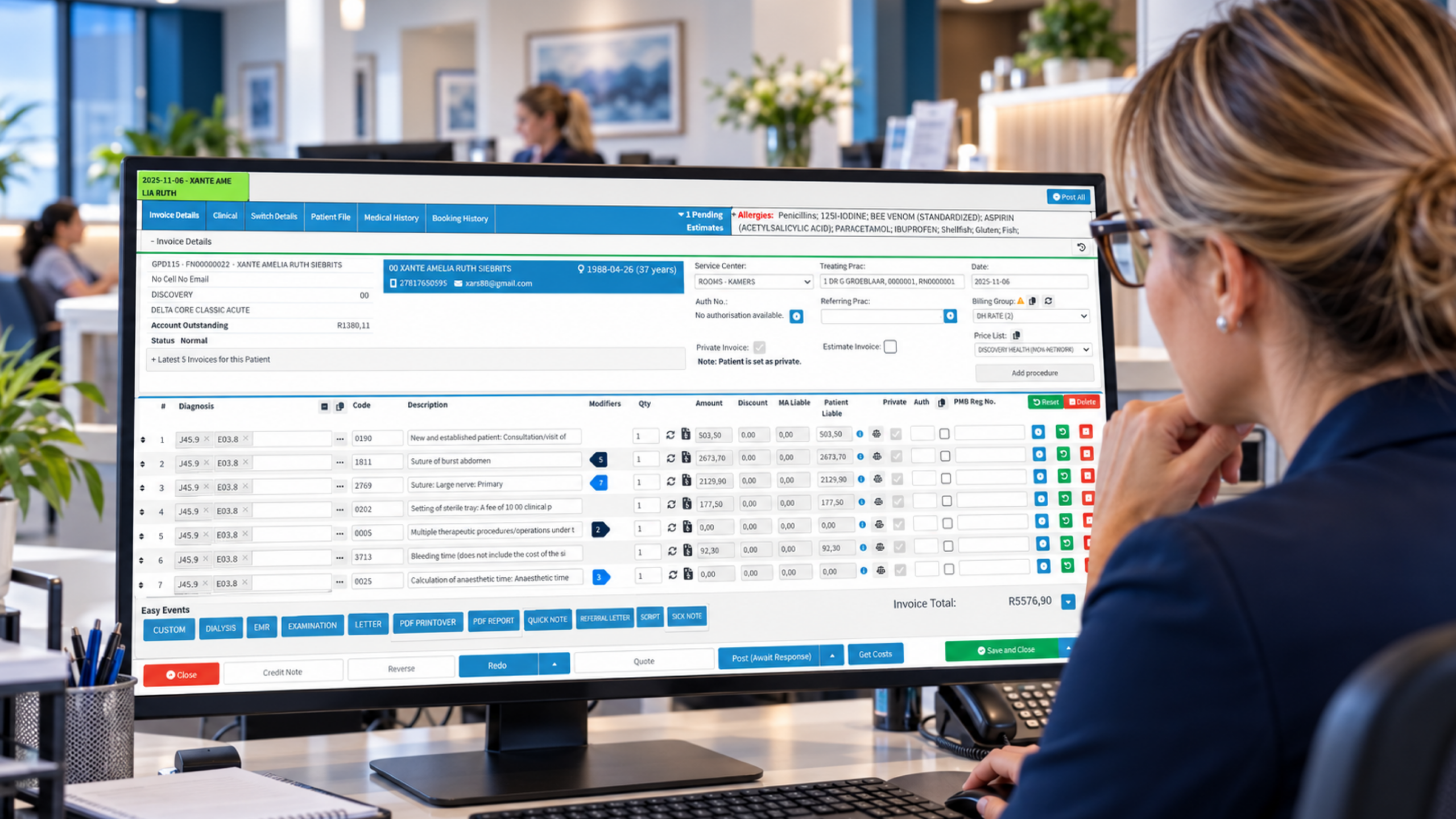
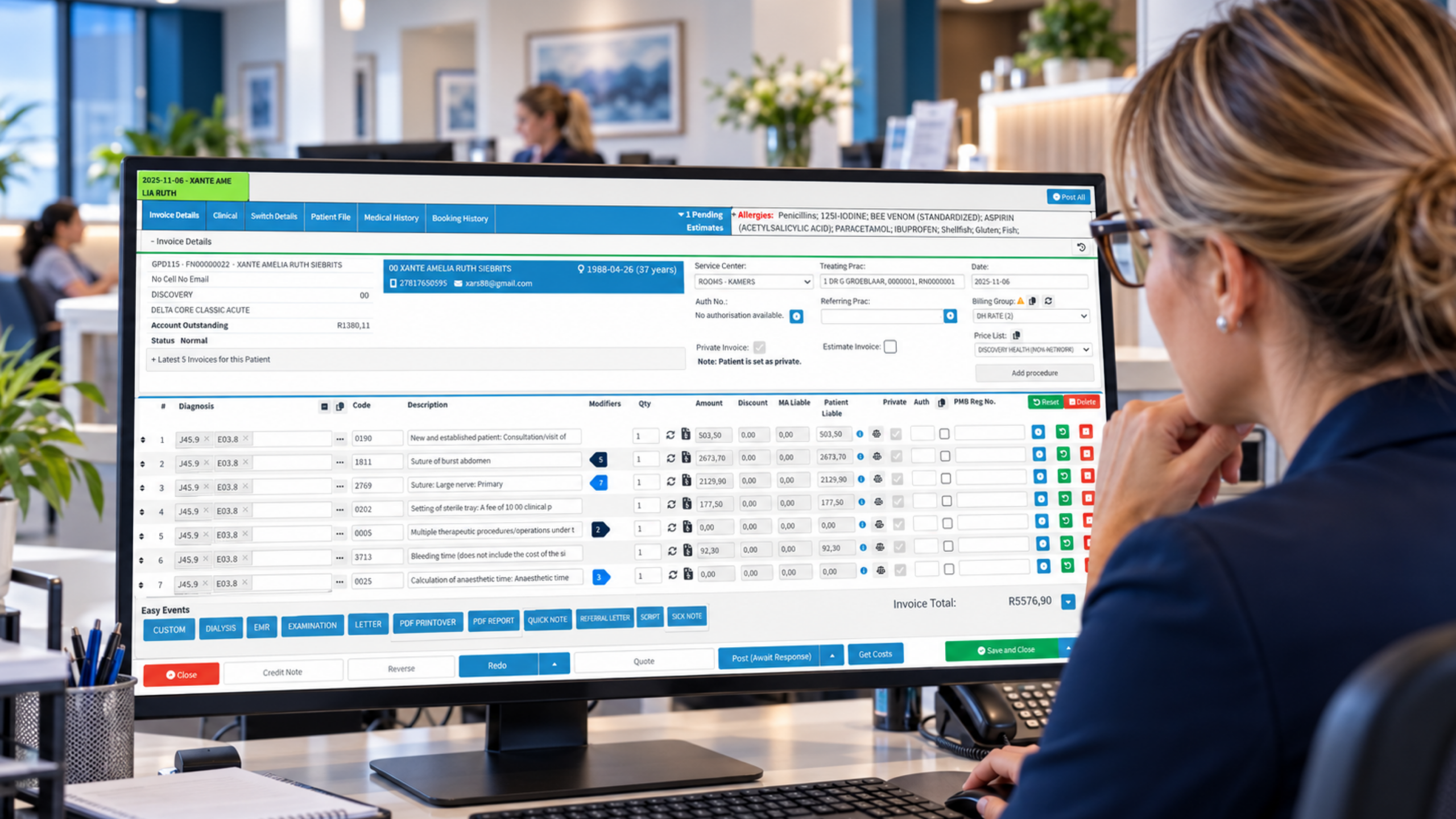
Feature one is billing that understands ACC. Most NZ physio clinics live with ACC45 injury claims, treatment contributions, and the patient’s share, so the system needs to hold claim numbers, track the number of treatments approved, and flag when you’re about to run past them. If it can’t, someone at the front desk is keeping that in their head, and heads go on holiday.
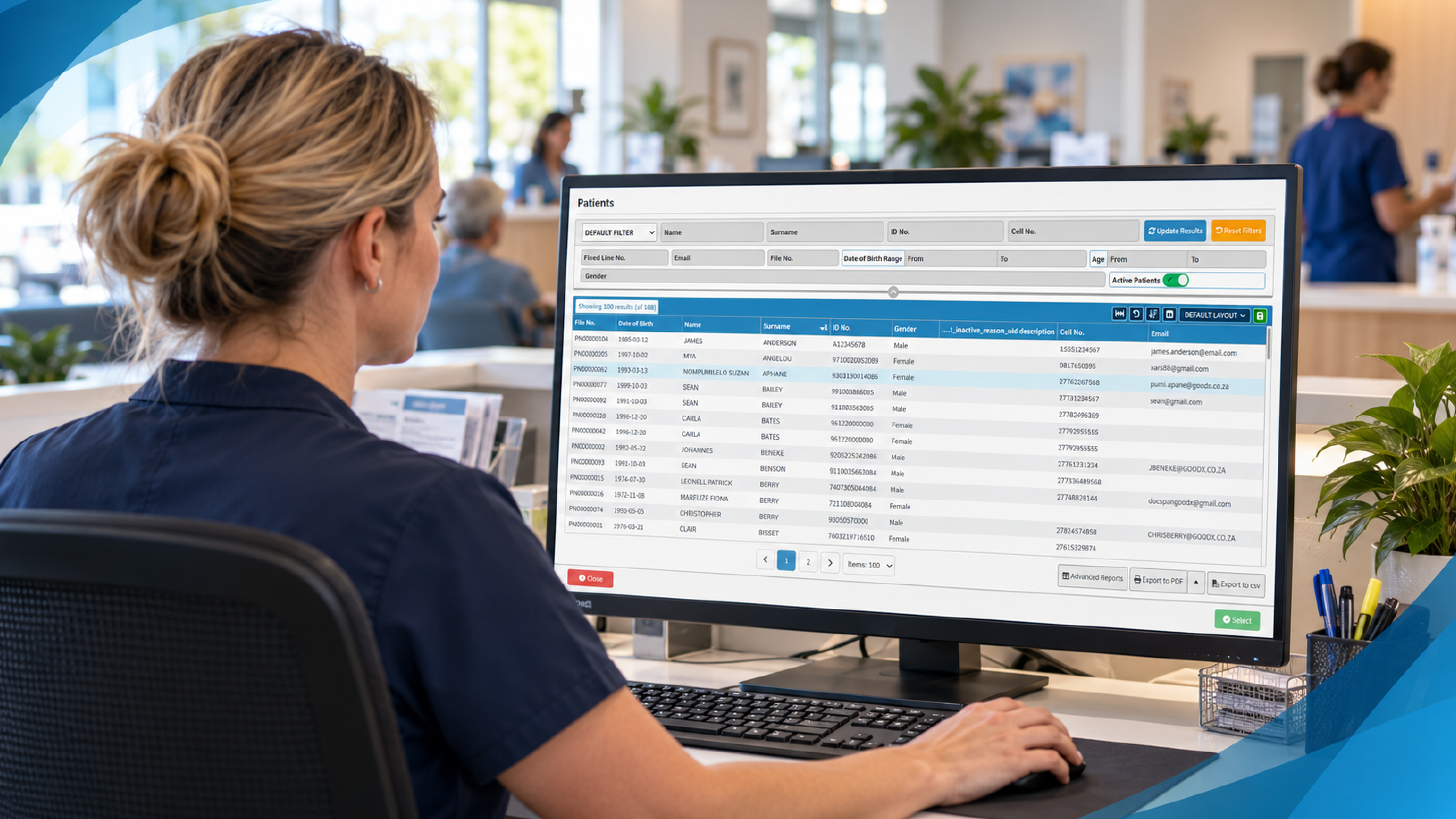
Feature two is clean registration and claim checking before the patient is on the table. The AMA’s guidance on revenue cycle management in private practices stresses verifying patient details and cover before the appointment, and it comes from the US insurance setting, but the principle travels well. In a New Zealand clinic that means confirming the ACC claim number, the injury date, the treatment type and any extra contribution before you start. A wrong digit in a claim number costs you a week of chasing.
Coding matters too. A US report in Medical Economics on billing workflows says coding errors account for up to 22 percent of claim denials in that market. Your rules are different, but the lesson holds: when the treatment you recorded doesn’t line up with what you billed, the claim comes back. Good software links the two so the clinician’s note feeds the invoice, not a second round of typing.
Then there’s the unglamorous bit, which is knowing what’s outstanding. You want an aged list of unpaid ACC and private invoices that you can sort in a minute. If you can’t see it quickly, you won’t chase it.
Physiotherapy appointment scheduling software: features three and four
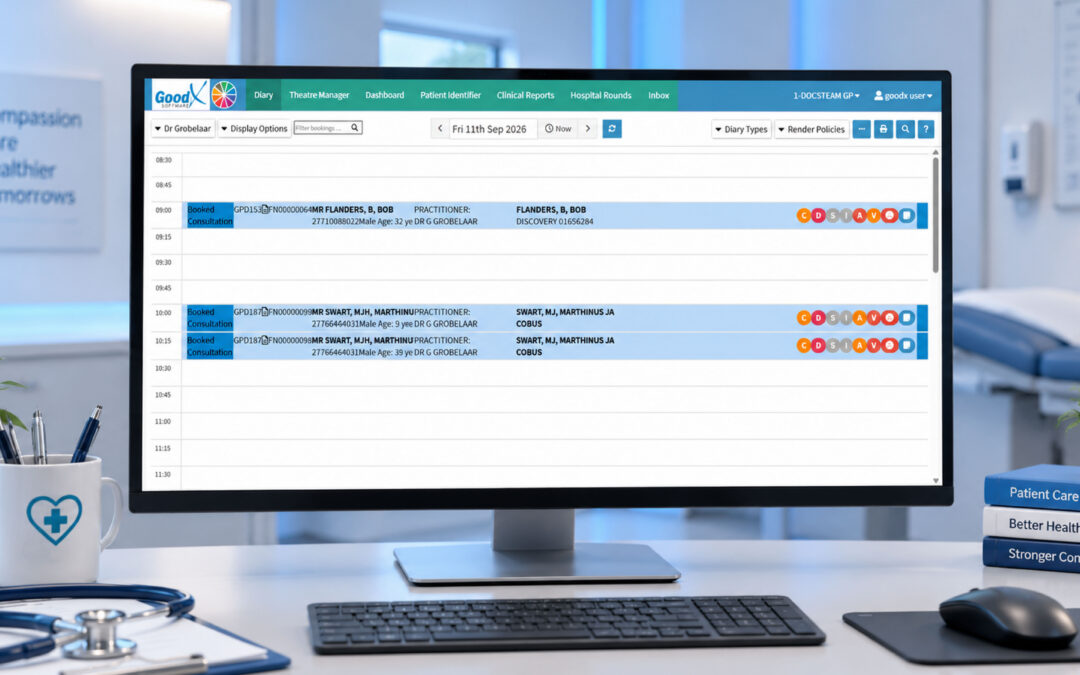
Feature three is a diary built for treatment series. Physios rarely book one-off visits, so the schedule should let you book a block of follow-ups in one go, with different appointment lengths for an initial assessment and a 30-minute review. It should also handle multiple practitioners, rooms and equipment, so you don’t double-book the one ultrasound machine or the gym space.
Overlapping can be useful. The AAFP’s article on wave scheduling describes overlapping appointments so time can shift from simple patients to complex ones. Some physio clinics do a version of this with exercise-based reviews running alongside hands-on treatment. Another idea from the same piece is worth stealing outright: book the follow-up before the patient leaves. In rehab, that single habit protects continuity of care better than any reminder.
Feature four is patient bookings and reminders. Online booking lets people grab a slot at 9pm after the kids are in bed, and SMS or email reminders cut no-shows. MGMA has written on putting scheduling into patients’ hands, and their point is simple: patients value control. A waitlist feature helps here as well, because when someone cancels at 10am, you can fill the gap by lunchtime instead of losing the hour.
Wait times matter for the clinic’s reputation as well. MGMA’s patient access strategies are a useful read on why quick access keeps patients engaged. For physio, an acute ankle sprain that waits ten days becomes a different clinical problem.
Physiotherapy clinical notes and treatment plans: features five to seven
Feature five is notes that take minutes, not evenings. The National Academy of Medicine has argued that documentation drifted away from recording the patient’s story and toward billing, and that notes should hold what’s clinically essential. Physios feel this acutely. Templates for common presentations, such as lower back pain, rotator cuff problems or post-operative knee rehab, let you record subjective findings, objective measures and the plan without retyping the same structure forty times a week.
Small gains add up. The AMA reports that shared templates and fewer alerts freed about 45 minutes a day at one organisation, and that faster logins and voice recognition saved some doctors 6 to 20 minutes daily. Those are doctors in US health systems, not physios, but the mechanism is the same. Fewer clicks per patient means you finish on time.
Feature six is treatment plans linked to the record. A plan should state goals, the exercises prescribed, expected timeframes and review points, and it should sit alongside the notes rather than in a separate document. When the plan is part of the record, you can show an ACC case manager why you’re requesting further treatment, and you can show the patient how far they’ve come.
Feature seven is rehabilitation progress tracking. Range of movement, pain scores, functional outcome measures and the patient’s own goals should be recorded in a way you can chart over time. A line going the right way is motivating for the patient. A flat line tells you it’s time to change the approach, or refer on.
Feature eight: privacy, security and records you can defend
The last feature is the one nobody enjoys talking about. In New Zealand, health information is covered by the Privacy Act 2020 and the Health Information Privacy Code, and the Office of the Privacy Commissioner is the place to check your obligations. Your software should control who sees what, keep an audit trail, and back up data reliably. If a laptop goes missing from the car, the records shouldn’t be on it.
Good record keeping also protects you when something goes wrong. The Medical Protection Society’s guide to record keeping is written from a UK perspective, but its advice on clear, contemporaneous, legible entries applies anywhere. Physiotherapists are regulated by the Physiotherapy Board, so check its standards for documentation as well.
Where GoodX fits into your physio clinic
GoodX is practice management software built to bring the pieces above into one system, rather than having your diary, your billing and your notes sitting in three places that don’t talk to each other. For a physio practice, that means bookings and reminders, clinical records, billing and reporting working from the same patient file. When a clinician records a treatment, it can flow through to the invoice without being retyped.
The reporting side is where practice owners often see the difference. You can look at attendance, cancellations, outstanding accounts and how busy each clinician is, then make decisions from numbers instead of hunches. If you’re comparing options, [INTERNAL LINK: GoodX practice management software -> GoodX features page] is a good place to see how the modules fit together, and [INTERNAL LINK: how GoodX handles billing and claims -> GoodX billing page] covers the money side in more detail.
Every clinic works a little differently, so the sensible step is to see the software against your own workflow: your ACC claim volume, your mix of assessments and reviews, and the number of practitioners you run. That’s a better test than any feature list, including this one.
Frequently Asked Questions
What is practice management software for physiotherapy?
It’s a system that handles the running of a physio clinic: appointments, patient bookings and reminders, clinical notes, treatment plans, billing and reporting. For New Zealand clinics, it should also support ACC claim tracking, so billing and clinical records stay connected instead of living in separate tools.
Does physiotherapy software need to handle ACC claims?
Yes, if ACC funds a large share of your caseload. The software should store claim numbers, track approved treatments, and flag when you’re nearing a limit. That prevents unpaid sessions and reduces time spent chasing corrections or resubmitting paperwork.
How does software reduce no-shows in a physio clinic?
Automatic SMS or email reminders, easy online rescheduling and a waitlist all help. Reminders prompt patients to confirm or change their booking, and the waitlist lets you refill cancelled slots quickly, so fewer treatment hours go unused.
Can software help track a patient’s rehabilitation progress?
Yes. Good systems let you record outcome measures such as pain scores, range of movement and functional goals at each visit, then view them over time. This supports clinical decisions, shows patients their improvement and strengthens requests for further funded treatment.
What should I look for when choosing a physio clinic management system?
Look for ACC-ready billing, a diary built for treatment series, quick templated notes, linked treatment plans, progress tracking and strong privacy controls. Then test it against your own workflow, ideally in a demo using your real appointment types and funding mix.
Book your free GoodX demo
Want to see how these eight features work in a real physio workflow? Book a free demo at goodx.co.nz and we’ll show you how GoodX can fit the way your clinic runs.
Disclaimer: This article is provided for general informational and educational purposes only. While GoodX Software takes reasonable care to ensure that the information is accurate and current at the time of publication, laws, regulations, industry standards, healthcare policies and technology may change. The content should not be regarded as medical, legal, financial or other professional advice. Readers should verify information relevant to their circumstances and consult an appropriately qualified professional where necessary. GoodX Software accepts no responsibility for decisions made or actions taken solely on the basis of this content.