Health Care Scheduling Software – How to Choose Health Care Scheduling Software in NZ
Choosing the right health care scheduling software can make a major difference to how smoothly a medical practice operates. From patient bookings and calendar management to reminders and provider availability, the right system can reduce administrative pressure while making it easier for patients to access care.
For New Zealand medical practices, health care scheduling software should do more than simply put appointments on a calendar. It needs to fit the size of the practice, support the way providers work, reduce booking friction and integrate effectively with the practice’s wider systems.
What Is Health Care Scheduling Software?
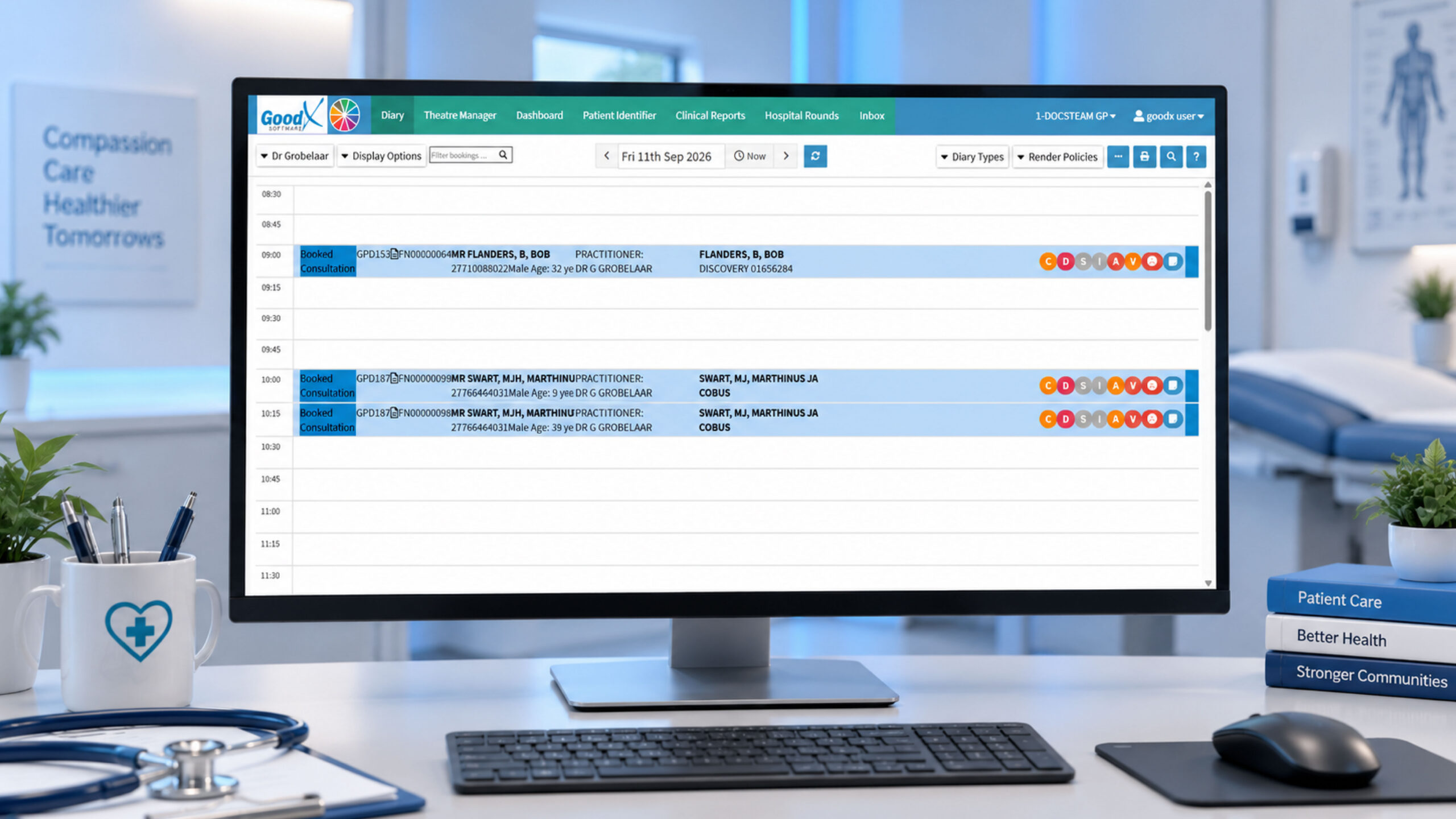
Health care scheduling software is designed to help medical practices manage appointments, provider availability and patient bookings digitally.
Instead of relying entirely on phone calls, emails or manually maintained calendars, practices can use scheduling software to organise appointments in one central system.
Depending on the platform, features may include:
- Online patient booking
- Provider calendars
- Appointment types and durations
- Automated appointment reminders
- Calendar synchronisation
- Rescheduling and cancellations
- Multi-provider scheduling
- Multi-location scheduling
- Telehealth appointment support
- Patient communication
- Payment functionality
- Integration with other practice systems
The important point is that not every practice needs every feature. A scheduling system that works well for a solo practitioner may be completely unsuitable for a larger multi-provider medical practice.
Why Does Health Care Scheduling Software Matter?
Scheduling can quickly become complicated as a practice becomes busier.
Reception teams may need to coordinate several providers, appointment types, rooms and availability while also handling cancellations and rescheduling requests.
For patients, the experience can be equally important. If booking an appointment requires multiple phone calls or long periods of waiting for a response, the process becomes unnecessarily difficult.
Health care scheduling software can help practices:
- Make appointments available for booking online
- Reduce repetitive administrative work
- Give patients access to booking outside normal reception hours
- Reduce the risk of double bookings
- Keep provider calendars organised
- Automate appointment reminders
- Make rescheduling easier
- Coordinate multiple providers
- Support online or virtual appointments
The goal isn’t simply to have a digital calendar. The goal is to create a smoother journey from appointment request to completed consultation.
Choose Software Based on Your Practice Size
One of the most important lessons from the scheduling software comparison is that practice size matters.
Solo and Small Practices
A solo GP, therapist, dentist or other healthcare professional may not need an enterprise scheduling platform.
For smaller practices, the priorities are usually simplicity and ease of use.
Look for:
- 24/7 online booking
- Simple calendar management
- Calendar synchronisation
- Automated reminders
- Easy rescheduling
- Quick implementation
- An intuitive interface
A lightweight solution can be enough if the practice has relatively straightforward appointment types and only one or a small number of providers.
The advantage is that the practice can introduce online booking without taking on unnecessary complexity.
Multi-Provider Practices
Scheduling becomes more complicated when several healthcare professionals share a practice.
The software may need to understand each provider’s availability while also managing appointment types, rooms and other resources.
For these practices, look for:
- Multiple provider calendars
- Shared availability
- Different appointment types
- Provider-specific working hours
- Room or resource management
- Automated reminders
- Calendar synchronisation
- Online patient self-booking
The right system should make coordination easier rather than creating another administrative task for reception staff.
Larger Practices and Healthcare Networks
Larger organisations may require significantly deeper scheduling functionality.
A multi-location organisation could have numerous providers, locations, appointment types and scheduling rules.
In this situation, basic booking software may not be enough.
More advanced requirements can include:
- Multi-location scheduling
- Complex provider availability
- Multiple appointment pathways
- Deep integration with existing systems
- Advanced reporting
- Workforce scheduling
- Detailed permissions
- Scalable patient self-booking
At this level, integration becomes particularly important.
Online Patient Booking Can Reduce Friction
One of the biggest advantages of modern health care scheduling software is online booking.
Instead of requiring patients to contact reception during limited hours, an online booking system can allow them to see available appointments and request or book a suitable time.
This can benefit both sides.
For patients:
- Booking can be more convenient
- Availability can be viewed digitally
- Less phone tag may be required
- Rescheduling can be simpler
- Appointments can potentially be booked outside reception hours
For practices:
- Fewer repetitive booking calls
- Less manual calendar administration
- More consistent scheduling
- Better visibility of appointments
- Reception staff can spend more time on other patient needs
However, online booking should not be treated as a replacement for every other booking method. Different patients have different needs, and practices should consider how digital booking fits alongside their existing patient communication processes.
Look for Automated Appointment Reminders
Missed appointments can create wasted clinical capacity and disrupt the day’s schedule.
Automated reminders are therefore an important feature to consider when comparing health care scheduling software.
Depending on the platform, reminders may be delivered through email or SMS.
A useful scheduling system should make it possible to automate appropriate appointment communications rather than requiring staff to manually contact every patient.
When comparing systems, check:
- Which reminder channels are supported?
- Can reminder timing be customised?
- Can confirmation messages be automated?
- Can patients reschedule easily?
- Can the practice customise notifications?
Small improvements in these areas can reduce repetitive administrative work.
Calendar Synchronisation Is Essential
Double bookings are one of the problems scheduling software should help prevent.
Calendar synchronisation allows availability to be reflected across connected calendars and devices, depending on the system being used.
This is particularly useful for providers who work across different locations or manage their schedules from multiple devices.
Before choosing software, check exactly which calendars and systems it can connect with.
Don’t assume that two systems integrate simply because they both advertise calendar functionality.
The depth of the integration matters.
Consider Integration With Your Practice Systems
Scheduling software doesn’t operate in isolation.
A medical practice may already use practice management software, clinical systems, accounting tools, communication platforms and other technology.
This means integration should be part of the buying decision.
Ask:
- Can the scheduling system integrate with existing software?
- How much information is synchronised?
- Is the integration one-way or two-way?
- Will staff need to enter information manually?
- How is patient and appointment information handled?
- What happens when availability changes?
For a small practice with straightforward requirements, a simple scheduling tool may be perfectly adequate.
For a larger organisation with complex workflows, deeper integration may be essential.
Don’t Overlook Telehealth
Healthcare delivery is no longer limited to traditional face-to-face appointments.
Some practices also provide telephone or video consultations, making telehealth functionality another consideration when choosing health care scheduling software.
A scheduling system can potentially connect appointment types with virtual consultation processes, helping patients understand whether their appointment is in person or online.
For practices offering hybrid care, look for software that can support:
- In-person appointments
- Video consultations
- Different appointment types
- Online booking
- Automatic communication
- Virtual meeting links
This can make the booking process clearer for both patients and staff.
Widget, API or Fully Custom Scheduling?
Another useful consideration from the research is how deeply the scheduling system needs to be integrated into your website and technology environment.
There are several approaches.
Embedded Widget
An embedded booking widget is generally the simplest option.
It can be added to a website without requiring a completely custom scheduling system.
This can suit smaller practices that want to get online booking operational quickly.
API Integration
An API-based integration provides more flexibility.
The practice website can provide a more customised booking experience while the scheduling platform manages availability and booking functionality behind the scenes.
This can be useful for growing practices that need more control over the patient experience.
Fully Custom Scheduling
A completely custom scheduling system offers the greatest control, but it also requires significantly more development, maintenance and investment.
For most practices, building everything from scratch is unnecessary unless the organisation has particularly complex requirements.
In many cases, the best solution is not the most complicated one. It’s the one that fits the actual workflow.
How to Choose the Right Health Care Scheduling Software in NZ
Before committing to a platform, create a simple checklist based on your practice.
Consider:
1. Practice size
How many providers and locations need to be managed?
2. Appointment complexity
Do you offer several appointment types with different durations?
3. Online booking
Do patients need to book appointments themselves at any time?
4. Reminders
Does the software automate appointment confirmations and reminders?
5. Calendar integration
Can provider availability stay synchronised?
6. Existing systems
Will the scheduling platform work with your current practice software?
7. Telehealth
Do you need to schedule both in-person and virtual appointments?
8. Scalability
Will the system still work if your practice adds providers or locations?
9. Ease of implementation
How much training and technical work will your team need?
10. Total value
Don’t only compare the monthly subscription. Consider the administrative time, complexity and operational improvements the system could provide.
Health Care Scheduling Software Should Support Your Whole Practice
Scheduling is only one part of running a modern healthcare practice.
Ideally, appointment management should work alongside the other systems your practice uses every day.
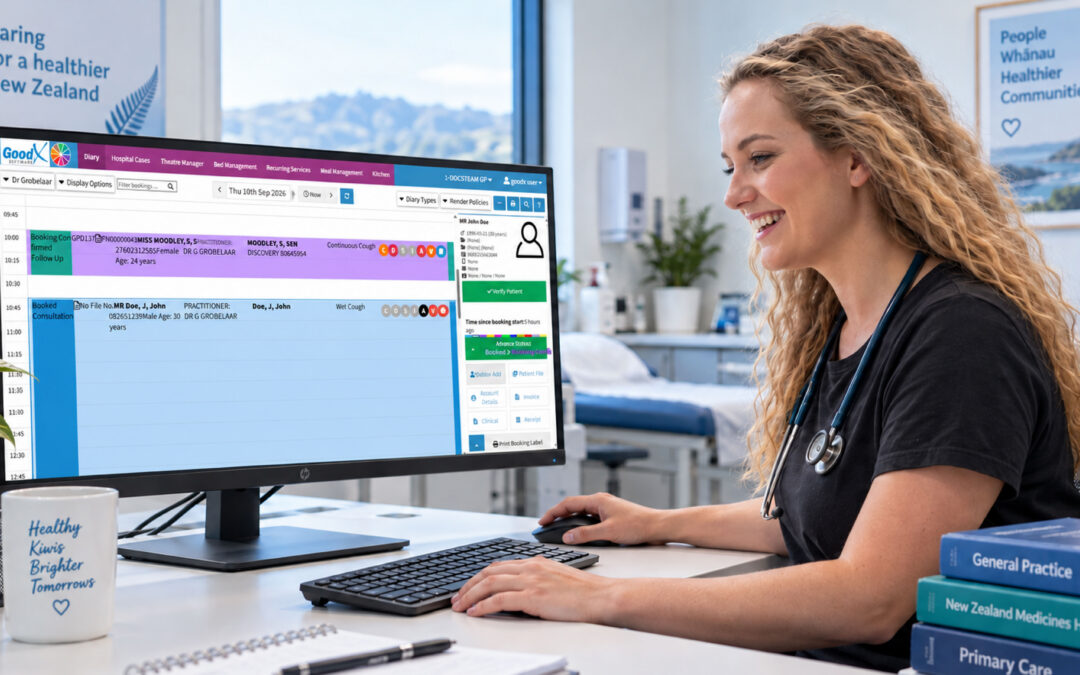
For New Zealand practices looking for an integrated approach, GoodX provides practice management tools that bring scheduling together with clinical and administrative workflows.
The important thing is to look beyond the booking screen.
A scheduling system may look impressive during a demonstration, but the real question is whether it makes everyday work easier for your reception team, healthcare professionals and patients.
Choosing the Right Health Care Scheduling Software
Choosing health care scheduling software doesn’t have to mean choosing the platform with the longest feature list.
Start with your practice’s actual needs.
A small practice may benefit most from simple online booking, calendar synchronisation and automated reminders. A larger organisation may need multi-provider scheduling, multiple locations, deeper integrations and more advanced workflow management.
The right solution should reduce friction rather than add another layer of complexity.
For New Zealand healthcare practices, the best health care scheduling software is ultimately the system that makes appointments easier to manage, gives patients a smoother booking experience and fits naturally into the way the practice already operates.
Contact our team to book your free GoodX demo.
Disclaimer: This article is provided for general informational and educational purposes only. While GoodX Software takes reasonable care to ensure that the information is accurate and current at the time of publication, laws, regulations, industry standards, healthcare policies and technology may change. The content should not be regarded as medical, legal, financial or other professional advice. Readers should verify information relevant to their circumstances and consult an appropriately qualified professional where necessary. GoodX Software accepts no responsibility for decisions made or actions taken solely on the basis of this content.